Why Orbital Railgun Is One of the Wildest Mods in Minecraft
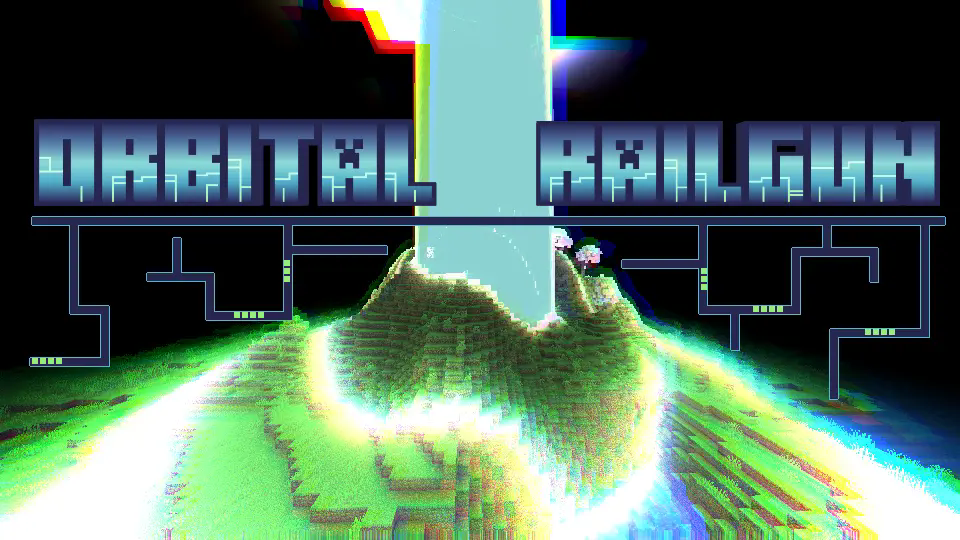
If you thought Minecraft mods couldn’t get crazier — meet Orbital Railgun. This mod adds a weapon capable of calling down a satellite strike powerful enough to tear through landscape — even bedrock — turning entire chunks into dust. For builders, destruction fans, or cinematic creators, this mod brings an insane “epic explosion” vibe straight into Minecraft.
🎯 What Is Orbital Railgun?
Orbital Railgun is a mod (originally by “Mishkis”) that lets you craft a special railgun-like weapon. When used, it doesn’t just shoot a bullet — it requests an orbital strike from a satellite, unleashing a devastating blast that obliterates everything in a massive area. Modrinth+2THESPIKE.GG+2
Key facts:
The destruction covers a large area and will destroy even bedrock. Modrinth+1
Works on Minecraft Java (via Fabric, with an unofficial Forge port available under the name Orbital Railgun Reforged. CurseForge+1
To run, the mod requires the dependency GeckoLib. Modrinth+1
✅ Why It’s So Popular — What Makes It Awesome
💥 Massive, Cinematic Explosions
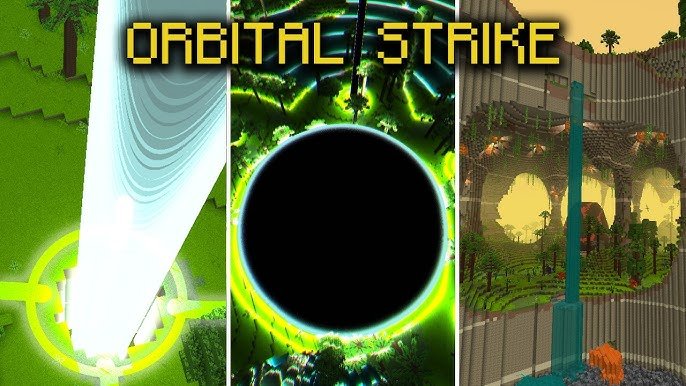
When you fire the Orbital Railgun, what you get is more than an explosion — it’s a dramatic, cinematic annihilation. Perfect for players who love spectacle or want to build dramatic bases and scenes.
The mod supports heavy visual effects, bright lights, shader-style visuals, and crazy destruction animations. It creates the impression of a sci-fi laser strike or an anime-level “ultimate attack.”
🎮 Simple Controls — Easy to Use
You don’t need complicated setup or skills. Once you craft the weapon:
Right-click to aim
Left-click to fire
The strike hits after a short delay — and boom. Total chaos.
🛠 Great for Clearing Land (or Ruining It)
Whether you’re:
Building a massive base and need to clear terrain fast
Setting up a super-farm
Doing creative builds
Or just messing around —
Orbital Railgun gives a quick way to clear large zones. It’s especially useful if you want to start fresh or flatten a massive terrain quickly.
🎬 Amazing for Content Creators & Cinematics
If you make Minecraft videos, shorts, or reels — this mod is a goldmine for cinematic content. The visual effects + destruction + shock value = content people click on.
You can show before/after landscapes, huge explosions, or even use it for storytelling (e.g. “last stand”, “destroyer of worlds”, etc.).
Visuals are dramatic enough that many players describe the mod’s effect as “anime-level destruction.” In fact, some in the community comment:
“this thing literally erased a piece of the world from reality… what the hell is this anomalous device?”
⚠️ Important Warnings & What to Know Before Using
Destruction is total — this mod will destroy almost everything in the target area, including bedrock. Use with caution.
Visual & performance heavy — because of the intense visual effects and shaders, weaker computers may struggle. The mod authors even include a photosensitivity warning for the bright lights and flashing effects.
Compatibility issues — the mod works best with Fabric. If you use Forge, use the “Orbital Railgun Reforged” port, but note that some shader/visual effects may behave differently.
Not ideal for survival servers or builds you care about — unless you want to obliterate everything. “Be careful where you aim” should be your motto.
🎯 How to Install and Use Orbital Railgun
Here’s a quick guide to get it running:
Installation Steps (Fabric recommended):
Install Fabric Loader & Fabric API for your Minecraft version.
Download the Orbital Railgun mod from its official page (on Modrinth or CurseForge).
Make sure you also have GeckoLib (required dependency).
Place the mod (and dependencies) in your mods folder.
Launch Minecraft with Fabric profile.
If you prefer Forge:
Use the “Orbital Railgun Reforged” version.
Make sure dependencies match and avoid mods (or performance enhancers like OptiFine) that may conflict with shaders/visual effects.
In-game Usage:
Hold the Railgun
Right-click to aim
Left-click to fire
Wait for the orbital strike — watch for destruction
🎬 Real Reactions: What the Community Thinks
Some players call it “anime-level destruction,” “a dark fountain of chaos,” or “total reality-erasure.” Quotes like: “this thing literally erased a piece of the world from reality… what the hell is this anomalous device?”
Others say it’s “slow but cool AF,” lamenting that it’s more about visual satisfaction than realistic functionality.
Despite the criticisms, the mod gets widely shared — especially among players who enjoy spectacle, cinematic builds, or RP servers where big explosions add drama.
💡 Should You Try It?
If you:
Like massive destruction
Want instant terrain clearing
Enjoy cinematic visuals, shaders, and chaos
Are building creative, custom, or cinematic worlds
Then yes — Orbital Railgun is absolutely worth trying. It’s one of those mods that flips everything on its head and makes Minecraft feel wild again.
But if you:
Care about preserving builds
Run survival servers or long-term worlds
Want vanilla-style gameplay
Then this mod is probably not for you — or at least use it with extreme caution (back up your world first 😉).
🔥 Final Thoughts
Orbital Railgun is more than a mod — it’s a power fantasy turned into Minecraft physics. With one click, you can turn landscapes into craters, turn farmland into wasteland, or create cinematic destruction for viewers. It’s chaos, it’s dramatic — and it’s strangely beautiful.
If you’re building a modded Minecraft blog, cinematic server, or just love destruction and chaos, this mod deserves a spot in your load-out. Try it out, record some fire reels or shorts, and watch the destruction (and attention) unfold.